
Get started
Connect a GPU
Use our GPU, or connect your own in one screen.
Simulations and agents run on a GPU. Pick one of two ways.
Our GPU (Pro)
Nothing to install. We send you your GPU's name. Paste it into the setup screen and every check turns green.
Your own GPU (Basic)
Any Ubuntu machine with an NVIDIA RTX GPU. It needs:
- The NVIDIA driver, and Docker with the NVIDIA runtime
- To be on the same private network as your laptop (we use Tailscale)
- SSH login from your laptop with a key, no password
Connect it
Open Setup, type the machine's name and press Save & check. Each row checks one thing. Press Fix on any row that isn't green, or run the command it shows. When every row is green, press Continue.
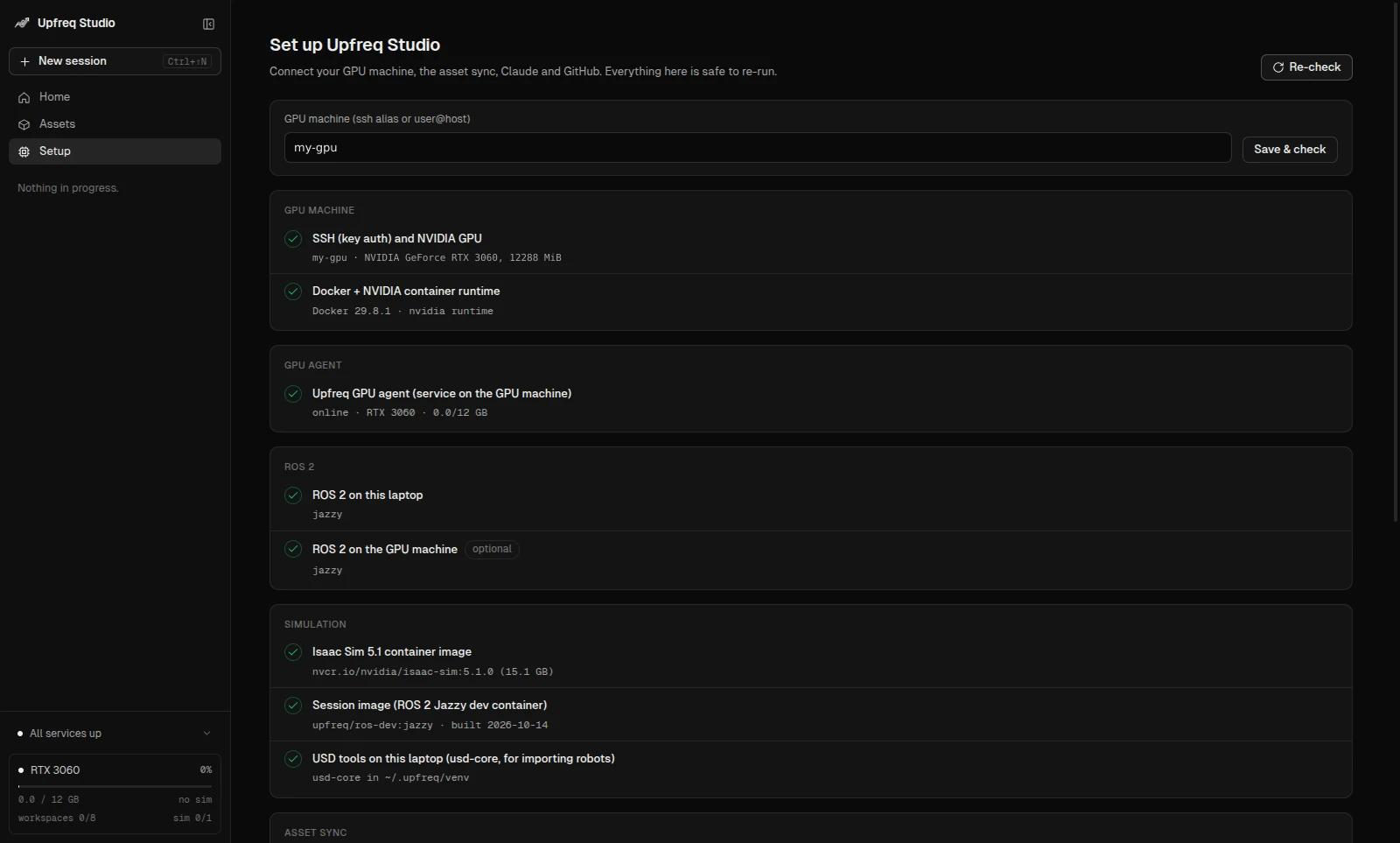
The agents use your own Claude and GitHub logins. Setup shows the login command when one is missing. Upfreq never sees your tokens.